 Curtail
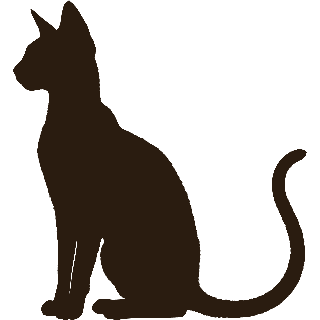
The cat walks in.
You look up.
Curtail is a screen-time app for Android that puts a very patient cat named Cash between you and your feed. Or Tango, a Ridgeback with the same calm. Set a scroll-time budget for the apps that eat your evenings. When it’s spent, whoever’s on duty wanders onto the screen and sits there. You can watch. You can’t tap.
A nudge, not a lock. Dismissing him always works. Curtail just makes you notice you’re doing it.
Free, no ads, no account, no subscription. If something feels off, hello@curtail.app reaches me directly. I read everything.
Three things happen when your screen time runs out
- 1
You set the screen-time budget
Pick the apps that pull you in and how long a sitting should last: a time limit on TikTok, another on Instagram, or one shared limit for all of them. Ten minutes is the default.
- 2
Cash arrives
When the budget is spent, Cash walks over your app and settles in, with a little countdown, until the break ends. Stay long enough and he falls asleep on your feed. On dog days it’s Tango doing the settling, and he naps just as shamelessly.
- 3
The break ends, or you end it
Wait it out and your time resets. Or dismiss him from the notification; the streak is the only thing that notices (one bad day a week is absorbed, a second resets it), and there’s no guilt screen. Nothing to earn back, either: the break just ends. The one step of friction is the whole point: it turns autopilot scrolling into a decision.
The cat never dies
Other screen time pets punish a bad day: a tree dies, a streak resets to zero. Cash isn’t a pet you keep alive: he has no mood to wreck, and a bad day does nothing to him. Curtail’s streak counts the days you didn’t send your buddy off early, and it’s built to forgive. One bad day a week is simply absorbed. It’s called the grace day.
Serving a break is not failure, and days away from your phone count as clean. Nothing you do can hurt him, and nothing in here punishes you either.
- Nap day
- One tap pauses guarding until midnight. The streak sleeps through it.
- Bedtime window
- Optional, for the scrolling before bed. From the hour you set, 22:30 say, your buddy is on duty the moment you open a guarded app, with no budget to burn first.
- Per-app timers
- Give each app its own limit and its own independent break.
- Fresh start
- Walk away for twenty minutes and your timer restarts. Leaving is the behavior the app exists to encourage.
- Daily cap
- An optional daily limit on the whole day’s scrolling, on top of per-sitting budgets.
- Home-screen widget
- Your buddy, your streak, and today’s screen time at a glance.
Your buddy keeps a diary, not a screen-time report card
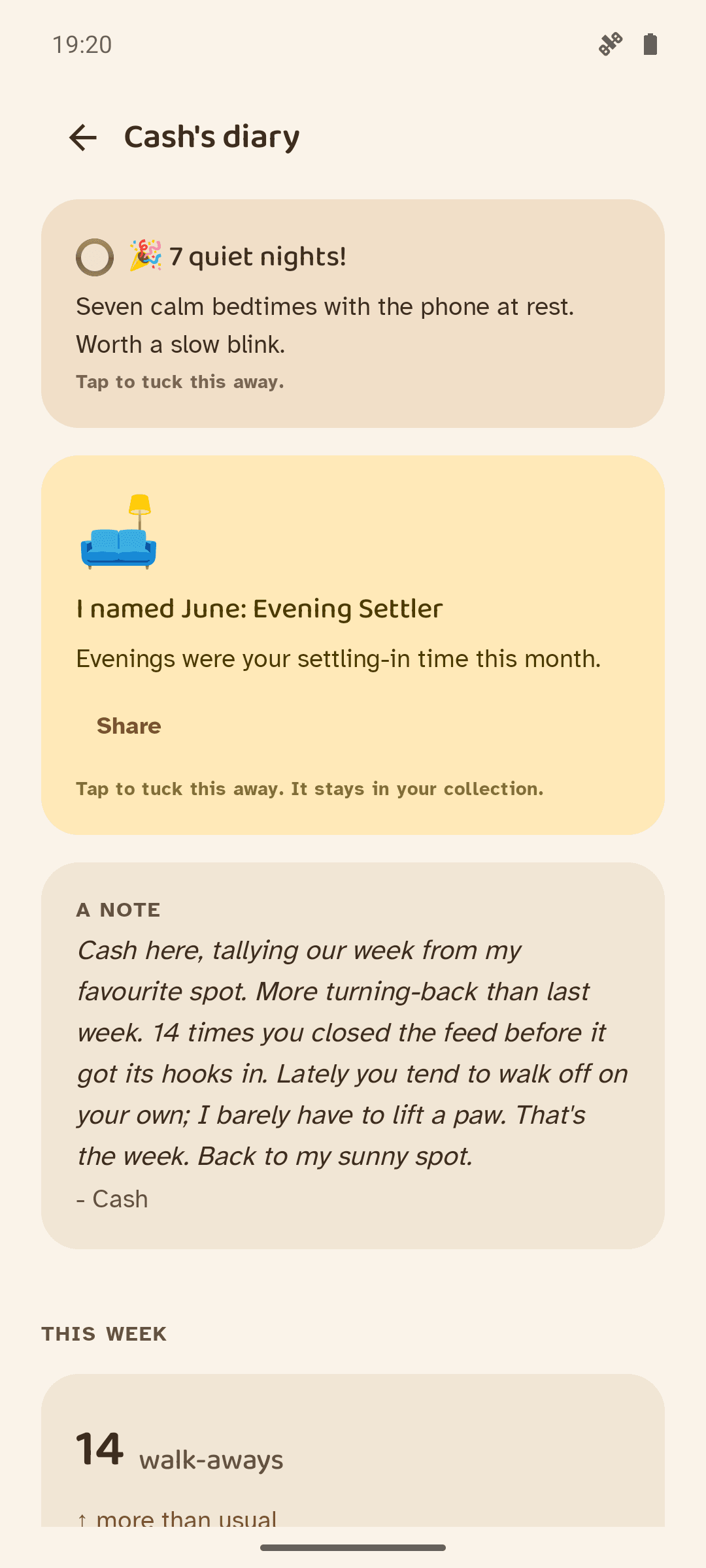
Most screen-time apps hand you a chart of your worst week. Cash and Tango keep a record book instead. It’s the diary of a virtual pet, not a usage dashboard, and whoever’s writing is a shamelessly generous narrator.
The number he cares about is the walk-away: you closing a guarded app on your own, mid-budget, before any timer made you, then staying away a while (about twenty minutes). Nothing else in the app gets celebrated as loudly. It’s the only habit the thing is really trying to build.
Cards only appear once you’ve earned them: your longest stretch away, the quiet nights, a letter from him each week (he keeps a season of the old ones), the year drawn as a mosaic. Your bond with him has six stages and only ever climbs. Nothing you do makes it fall.
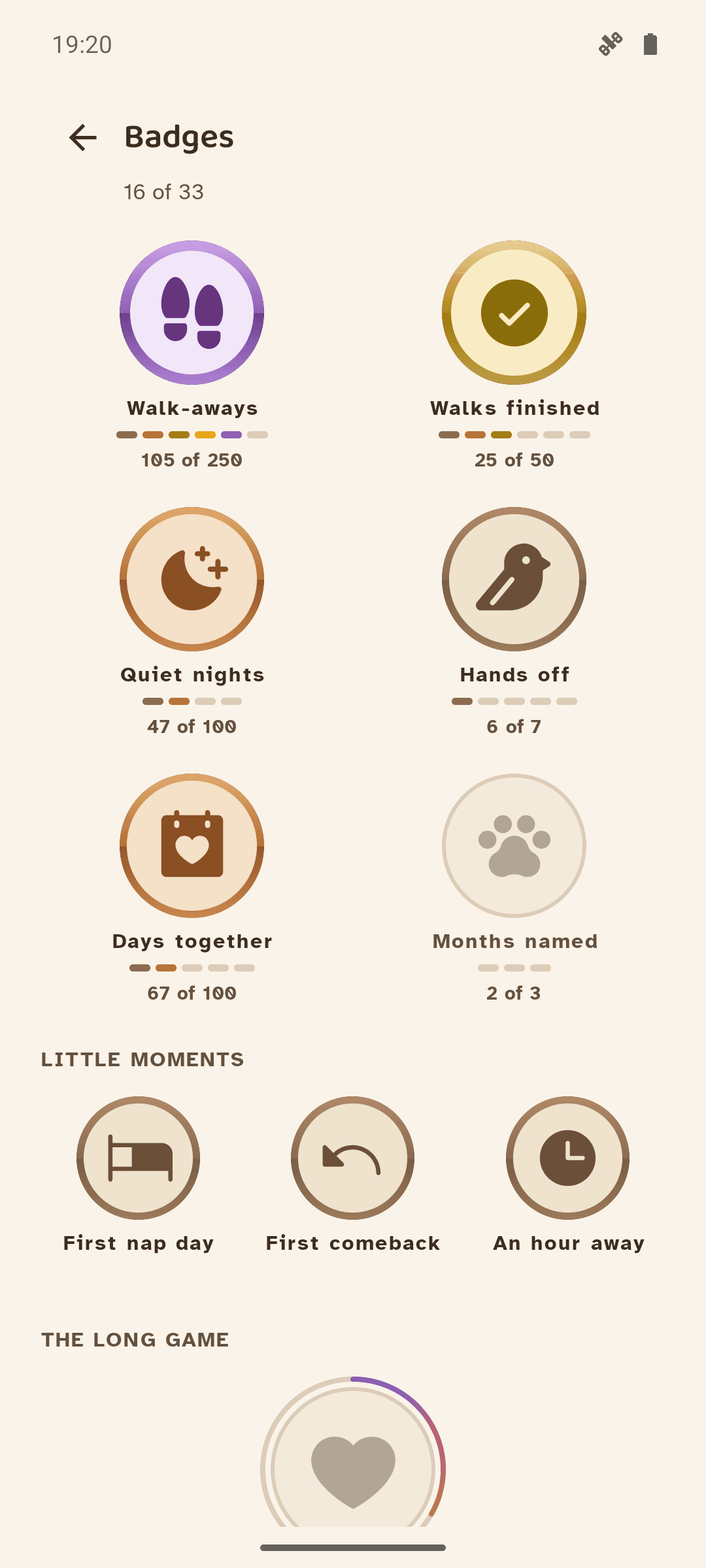
He hands out badges too, and they stack: walk-aways, walks finished (breaks you sat out to the end), quiet nights (a bedtime window you never disturbed) and hands-off days (under your limits all day, no pet required) each climb a ladder, one medallion recast at every rung. The scale runs wood, copper, gold, amber, amethyst, opal; only the longest ladders reach the top. The locked ones sit in plain sight with the criteria spelled out, so you always know what’s ahead.
And if counting is the part that makes this worse for you, a switch called “Just vibes” turns every numeral in the app off. The pet, the streak and the stories stay.
Nothing leaves your phone
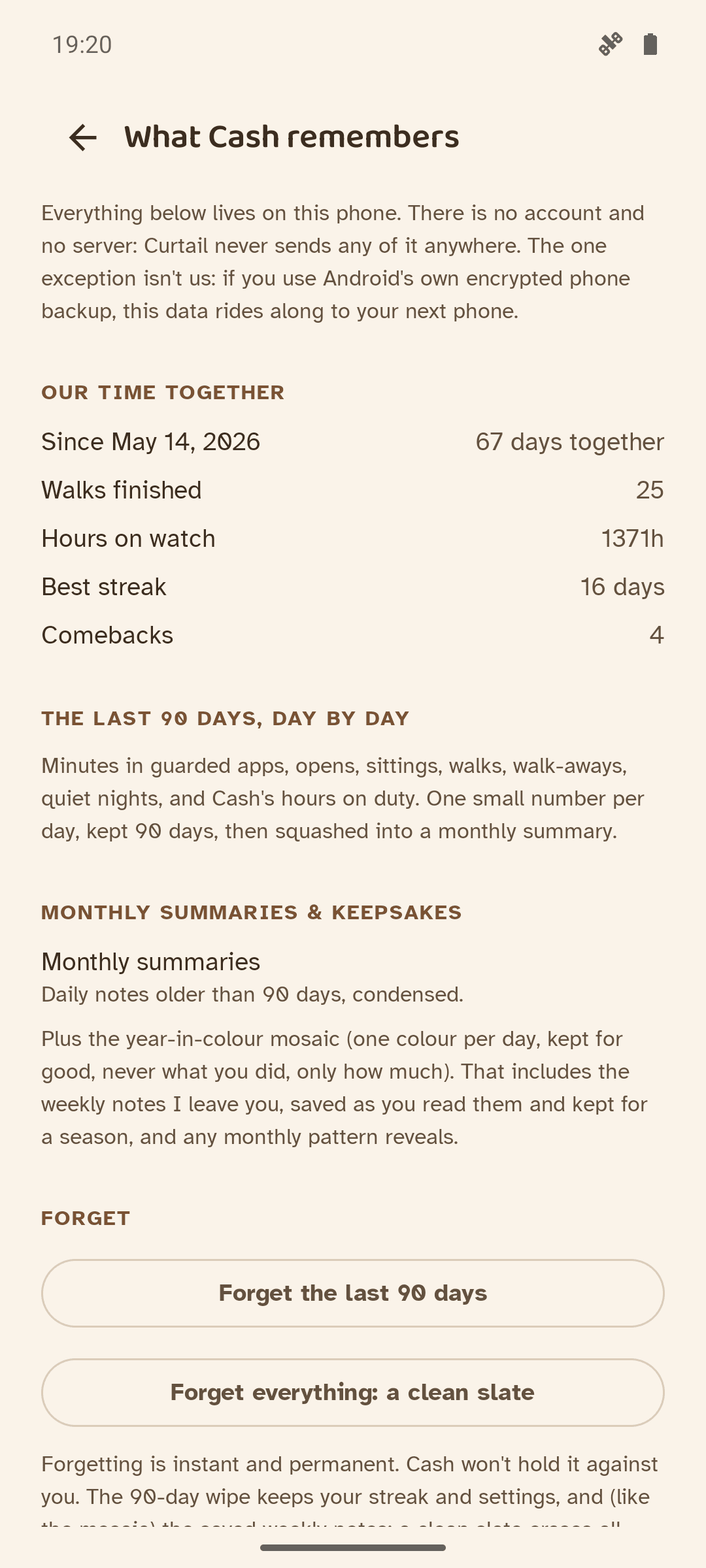
No accounts, no analytics, no ads, no servers: the app has no network code at all and works entirely offline. It needs two permissions, seeing which app is open and drawing over it, and nothing about either ever leaves the device.
You don’t have to take that on faith. A screen inside the app lists every number it holds, how long it keeps it, and the one caveat that isn’t up to me: Android’s own encrypted backup will carry local data to your next phone. Two taps erase the lot.
Curtail is built by one person. There are no investors, no reason to sell anything about you, and nothing in the app to buy right now.
The things people ask first
If I can always dismiss him, what stops me?
Nothing, and that’s deliberate. A block you can’t beat gets uninstalled the first time it’s inconvenient. Curtail costs you one reach to somewhere else on the phone, and that reach is usually enough to turn autopilot into a decision. It’s aimed at the doomscrolling you didn’t choose, and it gets out of the way for the scrolling you did. Android’s own app timer in Digital Wellbeing closes the app and dims its icon until midnight, or until you go and delete the timer, a route everyone learns by the second day, and Apple’s has an Ignore Limit button. Curtail has the same door, with a cat in front of it.
Is this a screen time app or an app blocker?
Both, loosely, and neither exactly. Curtail counts your time in the apps you choose, like a screen-time tracker, and when the limit runs out it blocks the screen, like an app blocker. It doesn’t block distracting apps outright, and it isn’t a focus app with sessions to start. Screen time control is the nearest shelf label: one limit, and a cat when it runs out. The difference is the enforcement: a cat you can always dismiss instead of a wall you’ll learn to climb. Charts exist, but they’re written by the cat, and he rounds in your favor.
Does Curtail stop doomscrolling?
Doomscrolling, mindless scrolling, whatever you call the hour that disappears: interrupting it is his job, stopping is yours. It runs on autopilot, so Cash breaks in at a moment you picked back when you were thinking clearly: the budget runs out, and the feed gets a cat on it. Fair warning: people who block one app tend to start scrolling another, and the weather app is a popular refuge. If it comes to that, add the weather to his list too.
Is there an app that stops you from scrolling?
Dozens try, and most of them work by locking you out. Curtail reminds you to stop scrolling instead: you set a limit, and when it runs out Cash walks on and sits down on the feed until the break ends. You can read what’s behind him. You can’t tap it. Sending him away takes one reach, to the notification or to Curtail itself. What he won’t do is pick the Reels out of Instagram for you; he sits on the whole app, messages and all.
Will this help with phone addiction?
I won’t sell you a cure for something I’m not qualified to diagnose, and the largest study that logged people’s real usage found only a weak link between screen time and mood. What’s measurable is volume: most people spend more hours in feeds than they meant to, and say they’d like some of it back. Curtail is aimed at that gap, the scrolling you didn’t choose. It doesn’t claim anything past that. The plainer version: when your time in Instagram, TikTok or YouTube is up, a cat gets in the way. Call that less addictive if it turns out that way for you.
Is Curtail an anti brain rot app?
If brain rot is the fog after an hour of Shorts, then yes, modestly. You put a screen time limit on whichever app does it to you, and a cat sits on the screen when the limit runs out. You can still see the feed. You just can’t touch it. No diagnosis, no lock, no subscription. Some apps in this corner wall the feed off, some swap it for a better one; this one only interrupts.
I can’t stop scrolling at night. Will this help?
That’s what the bedtime window is for. After the hour you pick, there’s no budget to burn: open a guarded app and your buddy is already on duty, so the scrolling in bed meets a cat instead of a feed. He stays until the window ends, 07:00 by default, so it’s wait for morning or send him off. Either way you noticed, which at 11pm counts for something, because nothing else in the room is arguing with you. I can’t tell you it will help you sleep, only that it interrupts. Nights you never open a guarded app at all count as quiet nights, and seven of them earn the first badge, the least dramatic reward in the app.
Does it work if you have ADHD?
I don’t know, and I won’t pretend to. A moving animal does seem harder to autopilot past than a silent timer, and you set the limit once, on an afternoon when you’re thinking straight, rather than in the moment when you aren’t. Nothing here punishes a bad day either; the streak forgives one a week by itself. If that’s the kind of nudge that works on you, it costs nothing to find out.
What if I need my phone in an emergency?
Curtail refuses to guard your phone app, messages, contacts, alarms, Settings and your home screen. They aren’t in the picker and can’t be added. It asks Android which apps those actually are, so it holds even if you use a different dialer, and it re-checks while it runs.
Is there an iPhone version?
No, and not honestly soon. Curtail works by drawing a cat, or a large dog, on top of another app, which is something iOS doesn’t let any app do. Android 8.0 and up, for now.
Will it eat my battery?
It checks which app is in front once a second and otherwise sits still. There are no network calls to make, and nothing animates until a break starts. The likelier problem is the reverse: some Android skins (Xiaomi and Huawei phones, Honor included, are the usual ones) kill background apps on sight. If that happens twice, Curtail offers to fix it, once, and never brings it up again.
What does it cost?
Nothing today: no ads, no account, no subscription, and nothing to buy inside the app. Guarding your apps is what Curtail is for, and that part isn’t going behind a paywall, ever. Anything paid comes later and is bought outright: new things for the animals to do, more animals, and eventually one drawn from your own.
Can I use it on my kid’s phone?
No. Curtail is a screen time app for adults, or at least for whoever is holding the phone. It guards the phone it’s installed on, has no accounts, and reports to nobody, so there’s nowhere for a second person to watch from. It only works if the person setting the limit is the person holding the phone.
How do I actually get it?
Curtail is a free screen time app on Google Play, for Android 8 and up. Install it like any other app: there’s no account to make and nothing to sign up for. If something feels off, hello@curtail.app reaches me directly.
Do screen time apps actually work?
A bit, and less than you’d hope. Pool 32 trials of people limiting their own social media and the effect on wellbeing is real but small. Take mobile internet away entirely for two weeks and it works properly, which is presumably why almost nobody does it twice. Curtail lands somewhere between those two, and the studies are on the why page with their numbers, so you can judge the evidence rather than take my word for it.
What I’m building next
Curtail is finished, but I’m not done with it. Here is what’s coming. None of it changes how the guarding works.
New things for them to do
Right now they walk in, sit, stretch and nap. I’m drawing more: a long, unimpressed stare that lasts exactly as long as your break, and a butterfly to chase across your feed. Small, and bought once.
Beyond Cash and Tango
Not everyone’s animal is a cat. A parrot, a hamster, a fox, a few breeds of cat and dog, so the one who sits on your feed can be the one you’d actually want there. These are the paid part. Tango and Cash are not.
Next up: your own buddy
This is the next thing I’m building, not a someday dream: hand me a few photos of your own animal, and the one who walks onto your screen becomes them. Your dog, your cat, drawn the way Cash is drawn from photographs of the real Cash. The picker in the app already holds its place: “your own buddy, coming soon.”
This is the single part of Curtail that would ever leave your phone, so I’ll be straight about it: it’s opt-in, it’s paid, and it uses only the photos you choose to send, for only this. The free app keeps its promise: no accounts, nothing uploaded, nothing tracked. It’s a separate thing you’d go out of your way to ask for.






The cat was real. So was the dog.
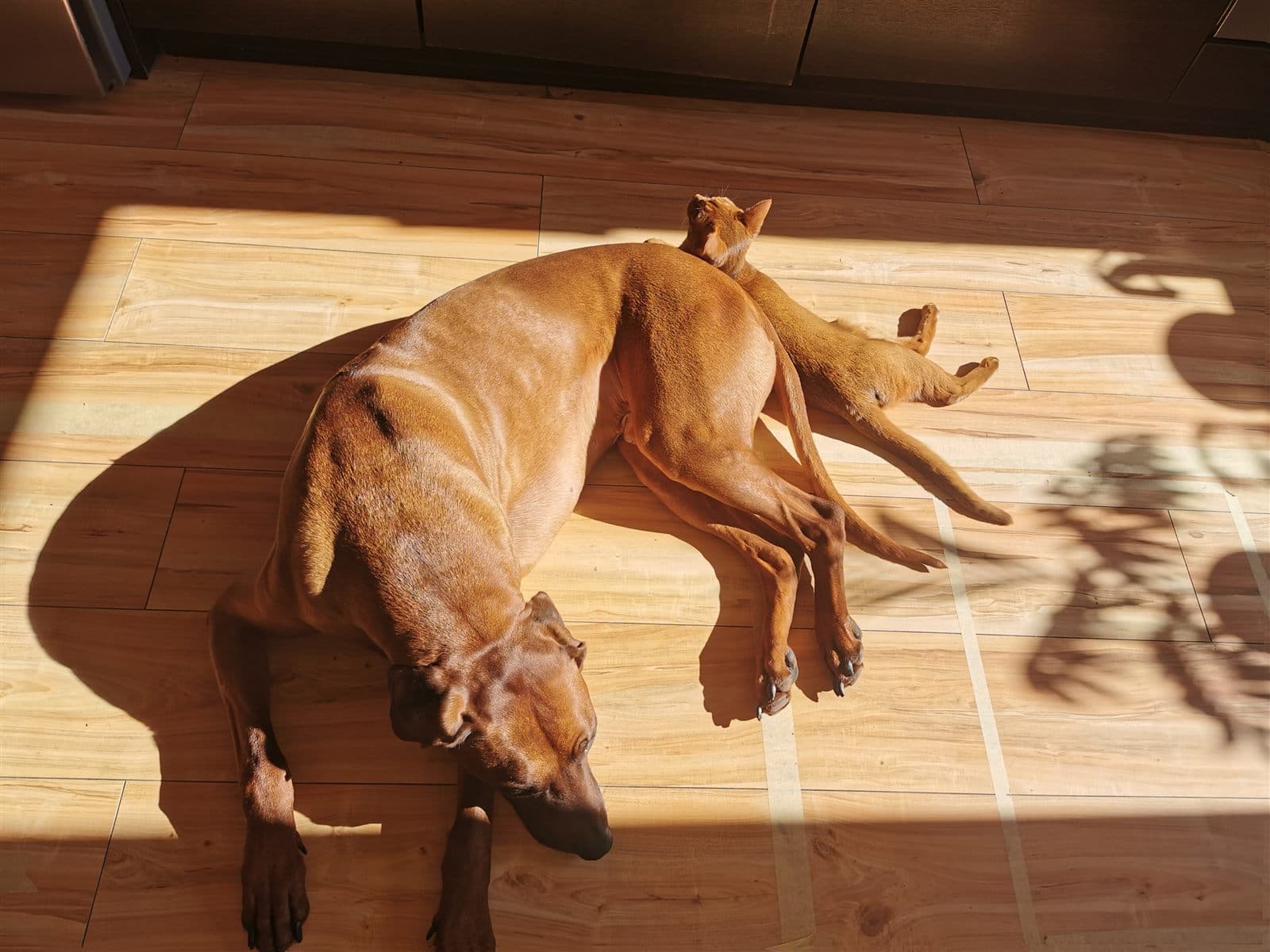
Tango came first, then Cash, who decided the two of them would be friends. They’re both gone now, and the app is where they keep walking. Both are traced from photographs of the real ones: Cash’s walk and green-eyed stare, Tango’s ridge and patient sit.
Their story →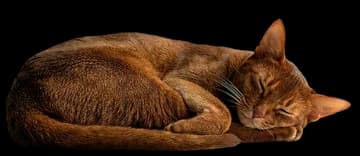
Cash and Tango are ready when you are
Curtail is free on Google Play. Install it, meet the cat or the dog, and see what an evening feels like with someone guarding it. If anything is off, email me; I reply to every email myself.

or write to hello@curtail.app